Email marketing is one of the most effective ways for small businesses to reach their audience, build relationships, and drive sales. Unlike social media or paid ads, email gives you direct access to your customers’ inbox, allowing you to send personalized messages and promotions that resonate with them.
In 2026, email marketing has evolved beyond simple newsletters. With automation, AI, and advanced analytics, small businesses can create highly targeted campaigns, track user behavior, and optimize their marketing strategies in real time.
Why email marketing is important for small businesses:
- High ROI: Every $1 spent can generate up to $36 in return.
- Customer retention: Keeps your audience engaged and encourages repeat purchases.
- Lead nurturing: Converts prospects into loyal customers.
Role of AI & Automation in 2026:
- AI-driven personalization improves open rates and conversions.
- Automation handles welcome sequences, abandoned carts, and follow-ups.
- Predictive analytics helps you send the right email at the right time.
This guide will cover the top email marketing software for small businesses, including Mailchimp, ConvertKit, Brevo (Sendinblue), GetResponse, and Moosend. We’ll compare features, pricing, pros & cons, and provide trends, FAQs, and recommendations.
How to Choose the Best Email Marketing Software in 2026
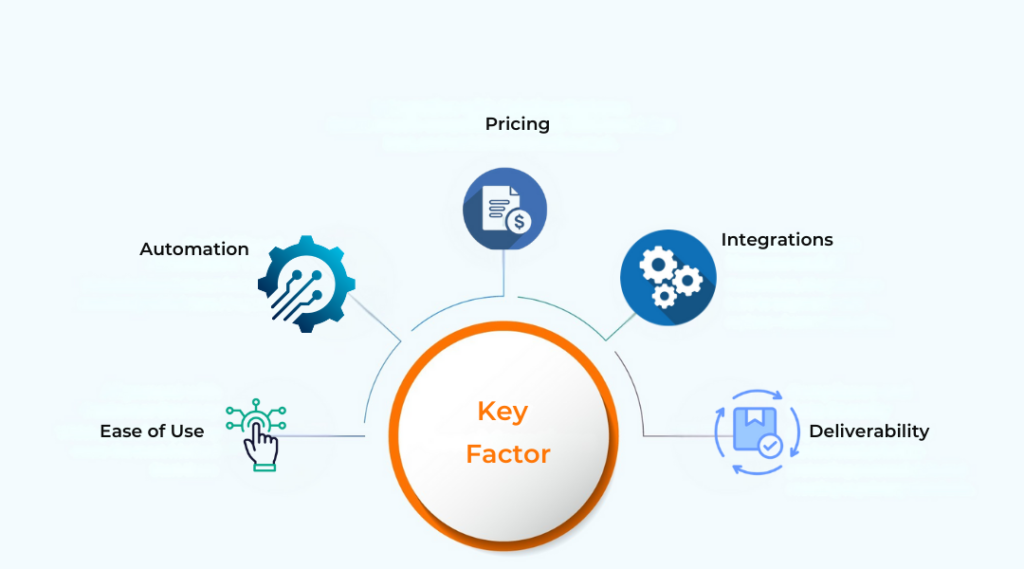
Selecting the right software depends on your business needs. Here’s what to consider:
1. Ease of Use
A user-friendly interface saves time, especially for beginners. Look for:
- Drag-and-drop editors
- Pre-built templates
- Intuitive dashboards
Example: Mailchimp’s visual editor allows even beginners to create professional emails quickly.
2. Automation Features
Automation saves time and improves engagement:
- Welcome sequences for new subscribers
- Abandoned cart reminders
- Post-purchase follow-ups
- Conditional workflows based on user actions
Example: ConvertKit allows creators to set up automated sequences triggered by user behavior.
3. Pricing for Small Businesses
Compare pricing based on:
- Number of subscribers
- Email sending limits
- Available features
Tip: Free plans are good for starting, but paid plans offer advanced automation and better integrations.
4. Integrations (CRM, eCommerce)
Integrations streamline marketing and operations:
- Sync customer data across platforms
- Track sales and leads from campaigns
- Examples: Shopify, WooCommerce, WordPress, CRMs
Example: Brevo integrates with eCommerce platforms to combine email and SMS marketing efficiently.
5. Deliverability & Support
High deliverability ensures emails reach the inbox. Look for:
- Platforms with strong ISP reputation
- Reliable customer support (chat, email, phone)
Top Email Marketing Software for Small Business in 2026
1. Mailchimp
Features:
- Drag-and-drop editor
- Pre-built templates
- Audience segmentation
- Reporting analytics
- AI-driven recommendations
Pricing: Free plan available; paid plans start at $13/month.
Pros:
- Beginner-friendly
- Multi-channel marketing options
- Robust analytics
Cons:
- Costs increase with list size
- Limited advanced automation
Best For: Beginners and small businesses looking for an all-in-one solution
Example: Automate welcome emails, product recommendations, and track performance easily.
2. ConvertKit
Features:
- Subscriber tagging
- Automation sequences
- Landing pages
- Email templates
Automation: Visual builder for workflow creation.
Pricing: Free for up to 1,000 subscribers; paid plans start at $15/month.
Pros:
- Simple automation
- Ideal for bloggers/creators
- Clean interface
Cons:
- Limited design flexibility
- Fewer templates
Best For: Bloggers, content creators, solopreneurs
Example: Bloggers can automate email sequences based on subscriber behavior.
3. Brevo (Sendinblue)
Features:
- Email marketing
- SMS campaigns
- Transactional emails
- Segmentation & A/B testing
Email + SMS Marketing: Multi-channel campaigns from a single platform.
Pricing: Free plan with 300 emails/day; paid plans start at $25/month.
Pros:
- Affordable
- All-in-one email + SMS solution
- Advanced segmentation
Cons:
- Free plan has daily limits
- Interface can be complex
Best For: Businesses wanting multi-channel campaigns
Example: Send abandoned cart emails + SMS reminders simultaneously to increase conversions.
4. GetResponse
Features:
- Automation workflows
- Landing pages
- Webinars
- CRM integration
- Email templates
Pricing: Plans start at $19/month.
Pros:
- Comprehensive marketing suite
- Good automation & webinar features
- Advanced analytics
Cons:
- Slight learning curve
- Higher cost for advanced plans
Best For: Growing businesses, online course creators
Example: Automate onboarding emails, host webinars, and manage leads in one platform.
5. Moosend
Features:
- Automation workflows
- Segmentation
- Analytics
- Drag-and-drop editor
Pricing: Free plan for 1,000 subscribers; paid plans start at $9/month.
Pros:
- Affordable
- Easy to use
- Strong automation
Cons:
- Limited templates & integrations
- Basic design options
Best For: Budget-conscious small businesses
Example: Automate welcome emails and simple campaigns without breaking the budget.
Comparison Table
| Tool | Free Plan | Automation | Best For | Price |
|---|---|---|---|---|
| Mailchimp | ✅ Yes | ✅ Basic | Beginners, all-in-one | $13/month |
| ConvertKit | ✅ Yes | ✅ Advanced | Bloggers, creators | $15/month |
| Brevo | ✅ Yes (300 emails/day) | ✅ Advanced | Email + SMS marketing | $25/month |
| GetResponse | ❌ No | ✅ Advanced | Small businesses, webinars | $19/month |
| Moosend | ✅ Yes | ✅ Basic | Budget-friendly | $9/month |
Best Email Marketing Tool by Business Type
- Best for Beginners: Mailchimp
- Best for eCommerce: Brevo (Sendinblue)
- Best for Bloggers: ConvertKit
- Best Budget Option: Moosend
Email Marketing Trends for 2026
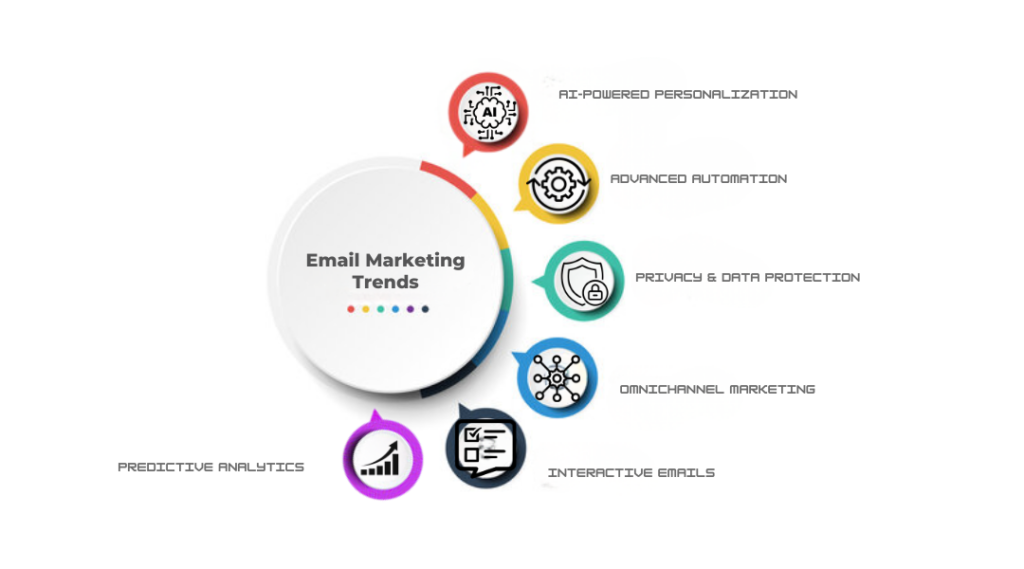
- AI-Powered Personalization: Tailor emails based on behavior, interests, and purchase history.
- Advanced Automation: Multi-step workflows for onboarding, re-engagement, and sales.
- Privacy & Data Protection: GDPR compliance and secure practices.
- Omnichannel Marketing: Integration with SMS, social media, and push notifications.
- Interactive Emails: Polls, quizzes, and GIFs to boost engagement.
- Predictive Analytics: AI predicts customer behavior to optimize campaigns.
FAQs
Which email marketing software is best for small business?
Mailchimp is beginner-friendly; Brevo and GetResponse are best for multi-channel campaigns.
Is free email marketing software enough?
Free plans are fine for small lists. Paid plans are better for automation, analytics, and integrations.
Email marketing vs social media – which is better?
Email marketing provides higher ROI and direct engagement; social media is better for awareness. Combining both is ideal.
How much does email marketing software cost?
Prices range from free to $25+/month depending on features and subscribers.
Can I use the same software for SMS marketing?
Yes. Brevo combines email + SMS marketing for multi-channel campaigns.
Final Verdict
Choosing the right email marketing software depends on your business type, goals, and budget:
- Mailchimp: Best for beginners and small businesses.
- ConvertKit: Perfect for bloggers and creators.
- Brevo: Great for eCommerce and multi-channel campaigns.
- GetResponse: Ideal for growing businesses and webinars.
- Moosend: Best for budget-conscious startups.